
What listing suppression actually means for your Amazon products
Amazon listing suppression is not a deletion. Your product page still exists, your inventory is still there, and you can still see the ASIN in Seller Central. What changes is that customers can’t find it through search or category browsing. Amazon labels this status “Search Suppressed,” and it is the platform’s way of pulling a non-compliant listing off the shelf without permanently removing it.
That distinction matters practically. A suppressed listing is fixable through data edits. A removed or “yanked” listing is a different situation entirely, one that typically involves serious policy violations, intellectual property complaints, or safety issues, and requires a formal appeal with documentation. Suppression versus removal is the first thing to get straight, because the recovery path is completely different for each.
The business impact of suppression is immediate. Buyers who search for your product category simply won’t see you. Your listing loses sales velocity, and that lost momentum can drag down your organic rank even after the issue is resolved.
Common triggers that cause Amazon to suppress a listing include:
- Missing required product attributes (size, color, material, gem type for jewelry)
- Main image violations such as a non-white background or text overlays
- Product titles that exceed character limits or include promotional language
- Pricing that deviates significantly from category or historical benchmarks
- Duplicate listings or products placed in the wrong category
- Prohibited or trademarked keywords in titles, bullets, or backend search terms
Amazon Seller Central is where you manage and resolve every suppression. The “Fix Your Products” page inside Seller Central shows you exactly which listings are suppressed and, in most cases, why.
Why Amazon suppresses listings: the most common reasons
Understanding why Amazon suppresses listings starts with recognizing that the platform’s enforcement is now fully automated. In 2026, Amazon’s AI scans every listing continuously, meaning a listing that passed review last year can be flagged today because a policy rule tightened or a style guide updated. Sellers cannot rely on “set it and forget it” anymore.
Here are the primary causes:
- Image non-compliance. This is the single most common trigger. The main image must have a pure white background (RGB 255, 255, 255), the product must fill at least 85% of the frame, and no text overlays, watermarks, or props are allowed. Amazon’s machine-vision layer flags lifestyle shots and slightly off-white backgrounds that look fine to the human eye.
- Title violations. Amazon enforces strict character limits: 80 characters for apparel, 130–200 for most other categories. Titles using ALL CAPS, “Best Seller,” “Free Shipping,” “#1 Product,” or keyword stuffing are flagged automatically.
- Missing required attributes. Every category has mandatory fields. Jewelry needs gem type and metal type. Apparel needs standardized size attributes. Consumables often require price-per-unit data. Leave any required field blank and the listing is suppressed until you fill it in.
- Pricing anomalies. Amazon’s Fair Pricing Policy flags listings where the price deviates significantly from the product’s recent sales history or category benchmarks. Amazon does not publish exact thresholds, but aggressive price swings in either direction are common triggers.
- Prohibited or trademarked keywords. A single banned term in your title, bullets, or backend search terms can make the entire ASIN unsearchable. Health claims like “cure” or “treat,” unverifiable superlatives, and competitor brand names all trigger automated enforcement.
- Parent-child variation mismatches. If one child ASIN in a variation group is non-compliant, the suppression can cascade to the entire parent listing.
- Incorrect categorization or duplicate listings. Products placed in the wrong category to bypass fees or restrictions get flagged quickly. Duplicate listings created to dominate search results are also suppressed.
- Compliance documentation gaps. Some categories require certifications, safety data, or regulatory documents. Missing these fields now results in suppression rather than a simple correction flag, particularly in apparel, consumables, and children’s items.
How to fix suppressed listings in Amazon Seller Central
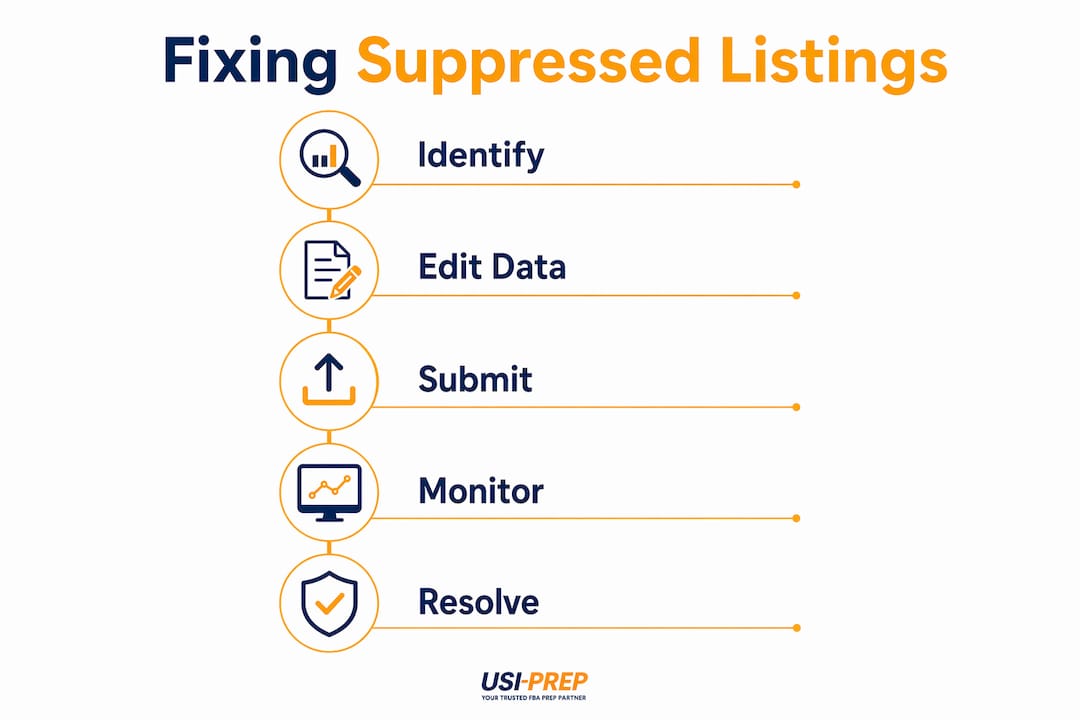
Fixing a suppressed listing is usually straightforward if you work methodically. The most common mistake is changing multiple fields at once. If it works, you won’t know what fixed it. If it doesn’t, you’ve introduced new variables for Amazon’s system to flag.
- Go to Manage Inventory and filter for suppressed listings. In Seller Central, navigate to Inventory, then select “Suppressed” from the filter at the top of the page. This shows every affected ASIN and the reason code Amazon assigned.
- Read the reason code carefully before touching anything. The suppression reason is your diagnostic starting point. If it says “incomplete information,” start with attributes. If it references an image issue, go straight to your main image.
- Fix the specific flagged field only. Change one thing at a time. Allow up to six hours for catalog propagation. If the listing doesn’t recover, check whether the suppression has shifted to a different field.
- Correct image violations first. Reprocess your main image against Amazon’s current style guide: pure white background, product filling at least 85% of the frame, no text, no watermarks, no lifestyle staging. This resolves the largest share of suppressions.
- Update product attributes through the “Fix Your Products” page. This page in Seller Central shows exactly which fields are missing or invalid. Fill in every required attribute for your category, not just the ones flagged, since related fields sometimes trigger secondary suppression.
- Adjust pricing within a closer range to the catalog reference price. If your suppression is vague and your price changed recently, test a price adjustment and wait 15–30 minutes before doing anything else.
- Check every child ASIN individually for variation groups. Checking individual child ASIN compliance via “Fix Your Products” prevents incomplete fixes where you restore the parent but leave a non-compliant child that re-suppresses the group.
- Avoid submitting a Plan of Action for data suppression. Submitting a Plan of Action unnecessarily routes your case through a formal appeals queue, which delays resolution. Simple data errors are fixed through Seller Central edits, not appeals.
- Verify the listing is live again. Copy your ASIN and search for it on Amazon’s front end. If it appears in results, the fix worked. If not, return to the suppression report and check for additional flagged fields.
- Use flat file uploads for bulk attribute updates. The Seller Central UI has known attribute save failures on longer bullet content. For multiple listings or complex attribute updates, the flat file upload method is more reliable.
Pricing suppression and Amazon’s AI monitoring in 2026
Pricing-related suppression is the least transparent type, and the one that catches experienced sellers off guard most often. Amazon’s Fair Pricing Policy does not publish specific thresholds, but the enforcement logic compares your current price against the product’s 90-day sales history and category benchmarks. A price that looks reasonable to you can still trigger suppression if it deviates too far from what Amazon’s system expects.

Drastic price increases draw scrutiny because they can signal artificial inflation. Sharp drops raise a different flag: Amazon may interpret a price well below the recent average as a data error and hide the listing. Neither direction is safe without context.
The broader enforcement picture in 2026 is more aggressive than most sellers anticipated. Amazon’s AI now scans every listing in real time, and legacy listings that haven’t been touched in years are subject to the same standards as new products. A 34% spike in suppressed ASINs was recorded between may 19 and june 8, 2026 compared to the same period in 2025, with the heaviest clusters in apparel, personal care, and grocery. Understanding FBA compliance trends in 2026 is no longer optional for sellers who want to stay visible.
Variation groups add another layer of risk. If one child ASIN has a pricing anomaly, the suppression can pull the parent and all related children off search simultaneously.
Pro Tip: Test price changes in small increments rather than large jumps. If you need to raise a price significantly, do it in steps over several days and monitor your suppression report after each change. A sudden 30% increase on a listing with a stable price history is a reliable way to trigger an automated flag.
Key behaviors that lead to pricing suppression:
- Sudden price increases that deviate sharply from the 90-day average
- Misleading reference pricing, such as an inflated “List Price” to manufacture a fake discount
- Prices significantly below category benchmarks, which Amazon may read as a data error
- Offer pricing that conflicts with your pricing on other sales channels
How to appeal or escalate a wrongful listing suppression
Not every suppression is legitimate. Amazon’s automated systems generate false positives, and a listing can be flagged for a violation that doesn’t actually exist in your content. When that happens, the standard “fix the data” path doesn’t apply, and you need a different approach.
Start by documenting the listing state before you change anything. Take screenshots of your title, images, attributes, and the suppression reason code. This record protects you if the case escalates and gives you a baseline to reference.
For content suppression where you believe the flag is incorrect, open a case through Seller Central’s support system. Reference the specific ASIN, the suppression date, and the reason code Amazon assigned. Be direct about why you believe the flag is a false positive and include any evidence that supports your position, such as image files that clearly meet specifications or attribute data that matches category requirements.
If Seller Central’s automated systems keep routing you in circles, escalate to a human reviewer by requesting a manual review explicitly in your case notes. Automated systems won’t catch every edge case, and a manual review is sometimes the only path to resolution.
For suppression tied to a suspected policy violation rather than a data error, a Plan of Action is appropriate. This is a formal document that identifies the root cause, describes the corrective steps you’ve taken, and outlines how you’ll prevent recurrence. Keep it factual and specific. Amazon’s review teams respond better to concrete corrective actions than to general assurances.
Brand Registry members have an additional escalation path. If an unauthorized seller edited your listing content in ways that triggered suppression, document the listing state, report through Brand Registry’s “Report a Violation” tool, and note the connection to the suppression event in your Seller Support case.
Amazon’s core policies that govern listing suppression
Amazon’s listing standards draw from several interconnected policy areas, and knowing which one applies to your situation tells you exactly where to focus your fix.
The Product Detail Page Rules govern title length, image specifications, bullet point content, and attribute completeness. These are the most frequently violated standards and the source of most data-driven suppressions. Amazon updates these rules through Seller Central News and category-specific style guides, and the updates apply retroactively to existing listings.
The Fair Pricing Policy prohibits pricing practices that Amazon considers harmful to customers, including artificially inflated reference prices and prices that deviate significantly from market benchmarks. Violations here result in offer suppression rather than full listing suppression, meaning your ASIN page may remain visible but your offer disappears.
The Restricted Products Policy covers items that require pre-approval to sell, products with prohibited claims, and categories that require specific certifications or regulatory documentation. Selling in a restricted category without approval, or using language that implies a restricted claim, triggers suppression or removal depending on severity.
The Intellectual Property Policy protects trademark and copyright holders. Using a trademarked term in your listing without authorization, even a common word that happens to be trademarked, can result in an immediate takedown. This typically triggers removal rather than suppression, but the line between the two depends on how Amazon’s system classifies the violation.
The GS1 and UPC Validation Requirements mean Amazon now cross-references your product’s UPC against the official GS1 database. Listings with GTINs that don’t match the brand on record are removed. This has become an increasingly common source of suppression for sellers using recycled or third-party UPCs.
Staying current with these policies requires active monitoring. Amazon’s enforcement logic is not static, and what was a loose guideline in 2024 may be a hard suppression trigger today. Checking Seller Central News regularly and auditing your listings against current FBA prep requirements before sending inventory is the most reliable way to stay ahead of enforcement changes.
Usiprep works with Amazon sellers who need their FBA prep and fulfillment handled by people who understand what compliance actually costs when it goes wrong. With a 98.9% on-time delivery rate and fulfillment processes built around Amazon’s current standards, Usiprep helps brands stay operational while they focus on fixing the listing issues that suppression creates.
Key Takeaways
Amazon suppresses listings when product data, images, titles, or pricing fail to meet current compliance standards, and the fix almost always starts with the “Fix Your Products” page in Seller Central.
| Point | Details |
|---|---|
| Suppression vs. removal | Suppression hides a listing from search but keeps it in inventory; removal requires a formal appeal. |
| Top suppression trigger | Image violations are the leading cause: white background required, product fills 85% of frame, no text overlays. |
| AI monitoring is continuous | Amazon’s 2026 enforcement scans every listing in real time, including legacy ASINs untouched for years. |
| Fix one field at a time | Changing multiple fields at once makes it impossible to identify what resolved the suppression. |
| Variation group risk | One non-compliant child ASIN can suppress the entire parent listing and all related variations. |